Schools and colleges
Ongoing classes, school office, tuition and documents, with many students at the same time.

For schools, courses, course creators and events
Courses, classes, students, live and recorded lessons, events, school office, billing and finances in one place, with students following everything on their phone or computer.
Who it's for
Ongoing classes, school office, tuition and documents, with many students at the same time.
People who sell courses, training programs or mentoring and want to sell, charge, deliver lessons, interact with students and issue certificates without stitching together several tools.
People who lead training programs and groups and need classes, attendance and certificates without becoming spreadsheet administrators or hostages to the sales and launch process.
Immersions, conferences and in-person gatherings, from ticket sales to check-in and automatic certificate issuance.
How it works in practice
No one types anything twice. What happens in one step feeds the next.
You register the course, the program, the course hours, the class, the price and the payment methods.
They pay on your checkout page or on another sales platform integrated with GDfy.
The student joins the class, accepts the contract online and gets access to the portal.
They watch live and recorded lessons on the portal, download materials, take quizzes and assignments and track their own progress.
Online, based on who joined the lesson. In person, with the student ID QR code scanned at the entrance.
Installments are on the portal to pay, with a reminder before the due date and a late notice.
Students who meet the criteria receive the certificate, and anyone can check that it's genuine using the code.
Sell and get paid
Everything involved in selling, charging and knowing how much actually came in.
Checkout page per offer, Pix, boleto, credit card in installments or monthly tuition, order bump at checkout and seat limits. Once paid, the student is enrolled right away, with access released according to your course schedule.
Installments per class, Pix, boleto and card, reminder and late-payment rules, payment confirmation with receipt, and interest and late fees when the school or creator wants them.
Each sale is split at the agreed percentage between the school or creator and the co-producer. Affiliates have their own link and dashboard, and commissions are released for payment after the guarantee period.
Guarantee period per product, refund requests through the portal itself, recorded refunds and automatic cancellation of the sale, the enrollment and the access when the money is returned.
Dashboard with amounts received, upcoming, late and in default by course, payout reconciliation and reports in Excel, CSV and PDF.
What students see
Installed on the phone, without going through an app store.
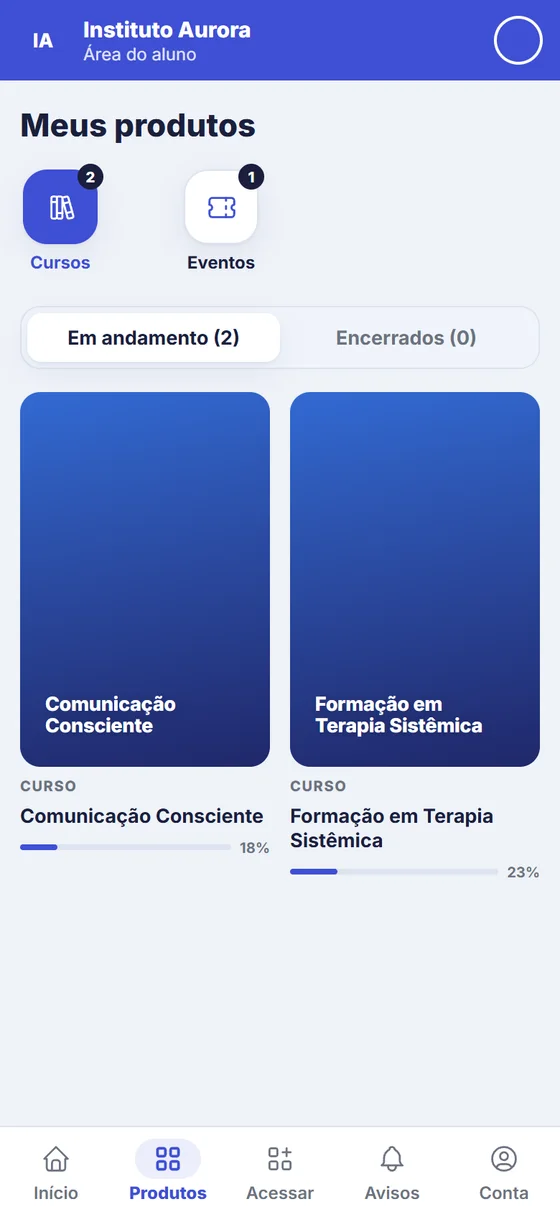
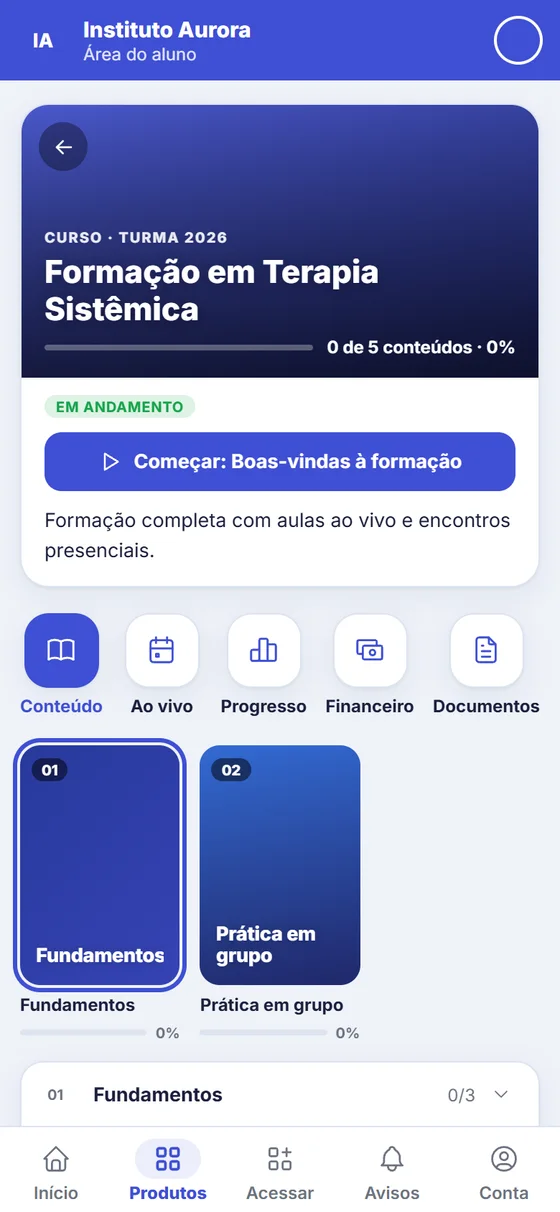
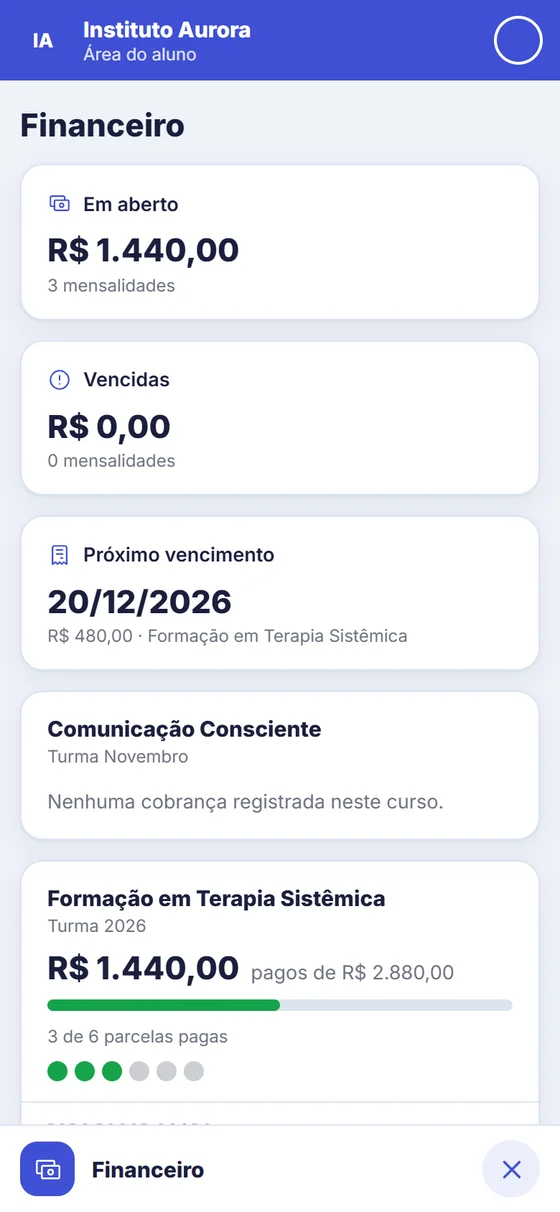

Real system screens, with fictitious data.
Teach
The learning environment is where students watch, study and follow the course. The portal is their home: lessons, calendar, payments and documents.
Programs with subjects, instructors and course hours, a schedule for each class, a lesson calendar, passing criteria and learning paths that group several courses.
Modules and lessons inside the portal: video, materials, links and text, quizzes and assignments with grading, comments and progress. Release by date or by days since enrollment, access period and lock for overdue installments.
GDfy creates the room automatically, integrated with the school's own Zoom, and students watch without leaving the portal, with no stray links in group chats. Attendance is recorded based on who joined and, afterwards, the school posts the recording in the class content.
Installable as an app, with calendar, phone notifications, courses and events, finances, documents, certificates and support from the school office.
Email campaigns by course, class or event, with scheduling, attachments and open and click tracking, plus announcements that appear inside the portal.
School office
School office routines move off paper: registration, attendance, documents and certificates in the same system, with documents and certificates available for students to download on the portal.
Manual enrollment or spreadsheet import, complete student records, suspension and transfer, bulk search, documents with validation codes and academic transcripts in PDF on the school's letterhead.
Students show their ID card on their phone, the school scans the QR code at the entrance and attendance is recorded instantly, linked to the lesson and the class. No list going around the room and no one typing names afterwards.
Built-in editor with the school's artwork, batch or automatic issuance after the event or the end of the course, a code and QR code on each document and a public page where anyone can check that it's genuine.
Template with the school's artwork, digital ID card on the portal, a version for stories and a QR code that serves as identification and records attendance at the lesson entrance.
The portal runs at students.yourschool.com, with your brand on the login page. The school enters its domain and the screen shows the DNS setup step by step.
What your team sees
The dashboard, the class and the in-person event, each with what the team needs to see day to day.
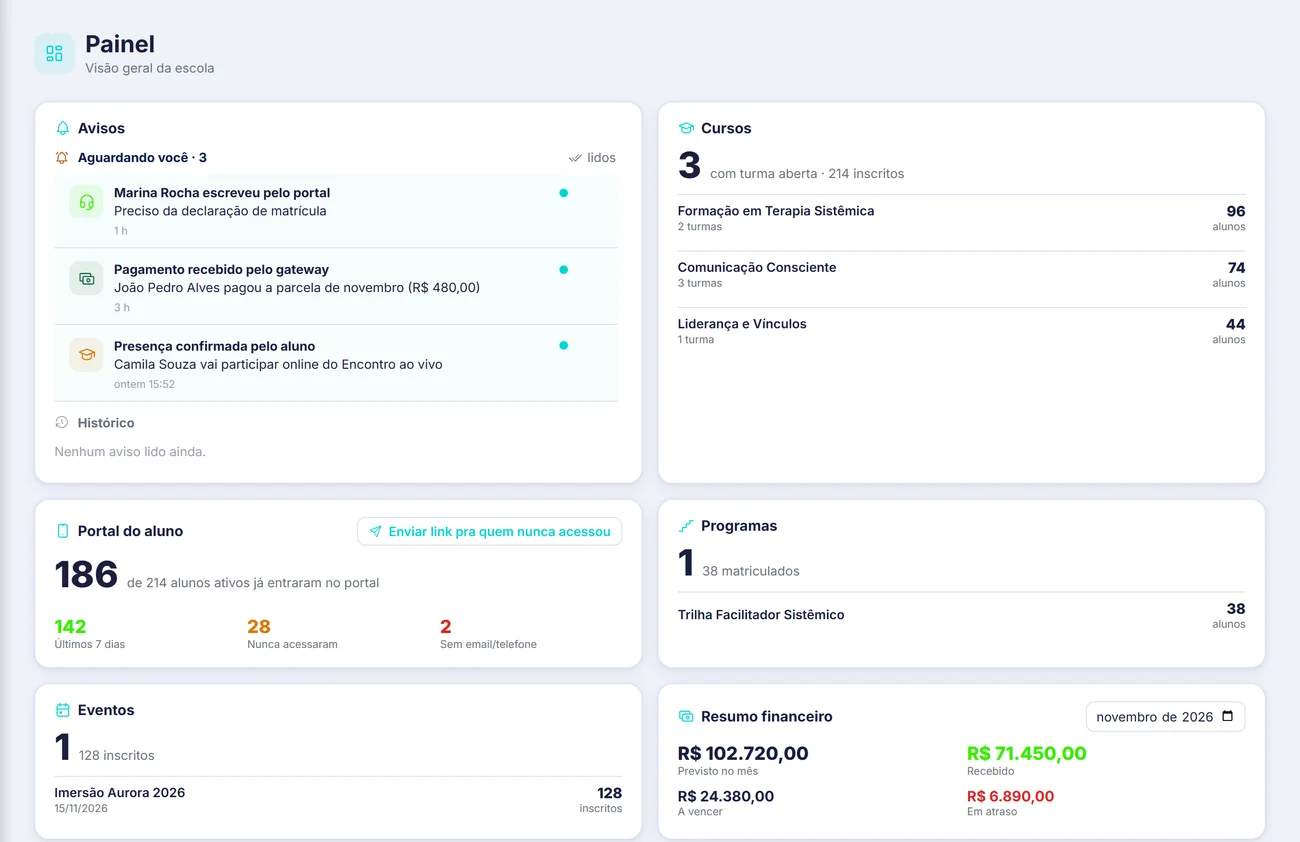
The dashboard: notices, courses, student portal, events and finances on a single screen
Real system screens, with fictitious data.
Events
For in-person events, immersions and gatherings. Check-in is the event reception, when participants are identified and receive their badge.
Sell tickets through GDfy itself, with ticket types, batches and valid days, and get paid by Pix, boleto or card. Buyers go straight onto the list and into the portal. If you sell through Hotmart or Eduzz, the integration brings everything in too.
The team scans the ticket QR code with a phone and the participant is in, with a badge and label ready to print. It works per event day, builds the attendance list and releases certificates for those who attended.
What you subscribe to
You subscribe to the system your team and your students will use. GDfy doesn't teach the lessons or run the school office: it organizes all of that. The subscription follows the number of active students.
Frequently asked questions
The plan follows the size of your operation: what you turn on, how many active students you have and how many people use it. Request a demo on this page and we'll show you the system with your use case and send you a final proposal.
Checkout is the page where the student pays. Split is the automatic division of the sale amount between the school and a co-producer, at the percentage you agreed on.
No. If you sell on those platforms, the integration brings in your sales, and if you prefer, you can sell through GDfy's own checkout, with our fees, much lower than those of other platforms.
Yes. Migrating students, courses and history from other platforms is done after an assessment: we look at your data and send you the scope and the price, charged separately from the subscription.
Not from an app store. The portal opens in the browser and installs straight to the phone's home screen, with a notification when something new arrives.
Yes. The pages they access, such as the student portal, contract and certificate, carry your school's logo, color and name.
Demo
In half an hour you'll see GDfy running with your operation on screen. Tell us how you work today and we'll put together the demo and a plan sized right for you.
 Prefer to talk now? Message us on WhatsApp